No ads
The absence of ads allows you to fully immerse yourself in music without distractions.

Subscribe to Spotify and dive into a world of music and podcasts without limits. Listen to your favorite tracks on any device without ads and in comfort. By subscribing through FreundeAbo, you pay significantly less — savings up to 50%. Payment via Stripe.
The cost of the Spotify subscription through FreundeAbo is significantly lower than the official one — only 4 EUR per month. You save up to 50% by sharing group subscriptions.
The absence of ads allows you to fully immerse yourself in music without distractions.
Download tracks to listen to anywhere, without the need for internet.
You can listen to audiobooks, podcasts, and music on your PC, tablet, laptop, speaker, and other gadgets.
AI technology suggests content that you’re sure to love.
Here you’ll find millions of podcasts and music tracks. You can listen to your favorites or discover something new. They are organized into playlists to match any mood.
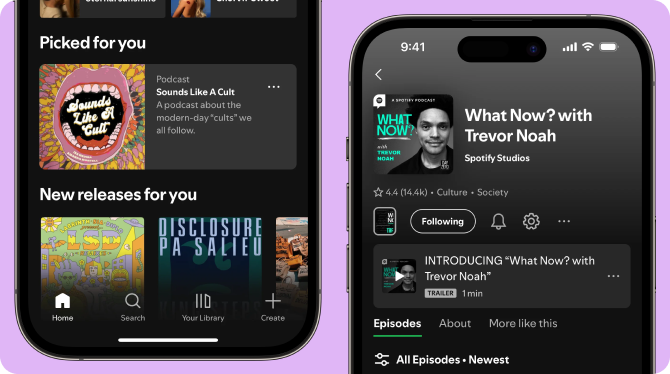
The benefits of the service include ad-free content listening, the ability to listen offline, and high-quality playlist selection with AI that takes your musical preferences into account.
Go to the FreundeAbo platform, select the Spotify Premium subscription, and pay for it. After that, a link to join the family group will be available in your personal account.
Yes, the subscription will activate on your account, and you will start using Spotify Premium from your profile.
No, the connection is made via a special link, and you join the family group @freundeabo.
Yes, all your playlists and recommendations will be saved after connecting to our subscription — nothing will be lost.
No, your playlists will always be available only to you unless you choose to share them with others.
Your account must have Germany as the specified country.
Go to the “My Library” menu, select the “Create” option, choose a name for your playlist, and start adding tracks to it.
Go to the search bar, in the “Browse All” section, select the “Podcasts” tab.
Yes, you can listen to audiobooks, podcasts, and music on your PC, tablet, laptop, speaker, and other portable gadgets.
Spotify allows changing the family group only once a year. If you plan to use the subscription on a permanent basis, we recommend not pausing it and keeping your payment information up to date.
A frequently asked question from users is whether they can get a refund for their Spotify subscription. Yes, the platform guarantees refunds in certain cases that are regulated by the technical support department, and service fees are refundable.