0 + Connections

Apple Music Subscription

Subscribe to Apple Music and dive into a world of music without limits. Listen to your favorite tracks on any device, ad-free and with comfort. By subscribing through FreundeAbo, you pay significantly less — savings up to 50%. Payments are processed via Stripe.

2,99€ month 4,5€

Why should you buy Apple Music from FreundeAbo?

  • No ads at all
  • Over 75 million tracks
  • Ability to download tracks for offline listening
  • Weekly top track playlists
  • Support for collaborative playlists for group listening
  • Listen on multiple devices simultaneously
  • Full control over the order of track playback
  • The platform FreundeAbo guarantees security and reliability, as well as the best price for the Premium package. Payment via Stripe

How to connect?

  1. After making the purchase of your chosen subscription, you will receive two emails: one with registration confirmation, the other with confirmation of the successful bank transaction.
  2. Next, you will need to launch or install Apple Music on any device that is convenient for you.
  3. All necessary details to connect your subscription can be found in your personal account on FreundeAbo under the “Subscriptions” page in the “Access” tab.
  4. To complete the connection, copy the connection link, go to it, and join the family group.
  5. After completing all the above steps, you will be able to fully use your subscription and enjoy its benefits.

Account usage and access

  • Apple Music allows changing the family group only once per year. Therefore, if you plan to use the subscription on a permanent basis, we recommend not pausing it and keeping your payment information up to date.
  • The country specified in your account must be Germany.

Restrictions and security

  • For security reasons, it is forbidden to change the account password, PIN codes, or profile names.
  • The platform only works with official services, and payments are processed through secure protocols.
  • Your data and access are completely safe.
2,99€ month 4,5€

Save up to 50%

The Apple Music subscription through FreundeAbo is significantly more affordable than the official one. You save up to 50% by sharing group subscriptions.

Benefits of Apple Music

No ads

The absence of ads allows you to fully immerse yourself in the music.

Offline listening

Ability to download tracks for listening wherever you are, without internet.

Any device

You can listen to music on your PC, tablet, laptop, speaker, and other gadgets.

Smart recommendations

AI technology suggests content you’re sure to love.

Unlimited world of music

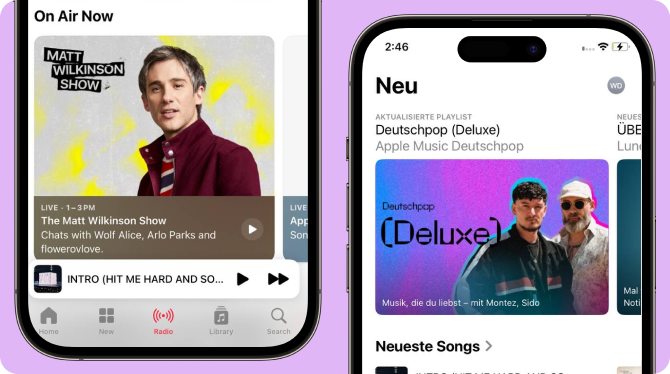
Here you’ll find millions of tracks and albums. You can listen to your favorite music or discover something new. They are organized into playlists that suit any mood.
Apple Music_big

FAQ

  • What are the benefits of the Apple Music subscription?

    The benefits of the service include no ads during music listening, the ability to download tracks for offline listening, and high-quality music recommendations using AI that takes your preferences into account.

  • What do I need to subscribe?

    Go to the FreundeAbo platform, select the Apple Music subscription, and pay for it. After that, you will receive a link to join the family group in your personal account.

  • Will the subscription activate on my existing account?

    Yes, the subscription will activate on your account, and you will start using Apple Music from your profile.

  • Do I need to provide my login and password for my account?

    No, the connection is made via a special link, and you join the family group @freundeabo.

  • Will my playlists be saved if I subscribe to your plan?

    Yes, all your playlists and recommendations will stay after connecting to our subscription — nothing will be lost.

  • Can someone else view my playlists?

    No, your playlists will always be available only to you unless you decide to share them with others.

  • What country should I specify in my Apple Music profile?

    Your account must have Germany as the specified country.

  • How do I create my own playlist on Apple Music?

    Go to the “Library” menu, select the “Create Playlist” option, choose a name for your playlist, and start adding tracks to it.

  • How do I find music on Apple Music?

    Go to the “My Music” section, or use the search bar for quick access to your favorite tracks.

  • Does Apple Music support synchronization on devices other than smartphones?

    Yes, you can listen to music on your PC, tablet, laptop, speaker, and other devices.

  • Can I change my family group in Apple Music?

    Apple Music allows changing the family group only once a year. If you plan to use the subscription on a permanent basis, we recommend not pausing it and keeping your payment information up to date.

  • Can I get a refund for my Apple Music subscription on the FreundeAbo platform?

    A frequently asked question from users is whether they can get a refund for their Apple Music subscription. Yes, the platform guarantees refunds in certain cases that are regulated by the technical support department, and service fees are refundable.